
What's WebMCP and Do Entrepreneurs Really Need It?

WebMCP is about to land in the newsletters you already skim. People will tell you it is becoming the standard for agents that visually talk to your website. I can already see the courses. The question worth asking is who actually needs it, and who can skip it.
Article Summary
- WebMCP publishes named actions on your page (book, quote, add to cart) so an agent does not have to guess which button does what.
- OpenAI's demo set is ten apps, mostly creative toys plus one grocery cart. Service businesses are not in it yet.
- Seven conversion reasons the customer still needs to see the page: busy hands, a legal yes, upsells, the last tap, two people, trust, and a copy they can keep.
- Keyboardless screens are next: a Smart TV, a home robot, a telehealth doctor handing you a page over video. Apple is already selling the always-on box.
- Ship two money tools in about a week, then film it, list the tools in public, and take the "first in town" claim to trade press.
What it is, in plain words
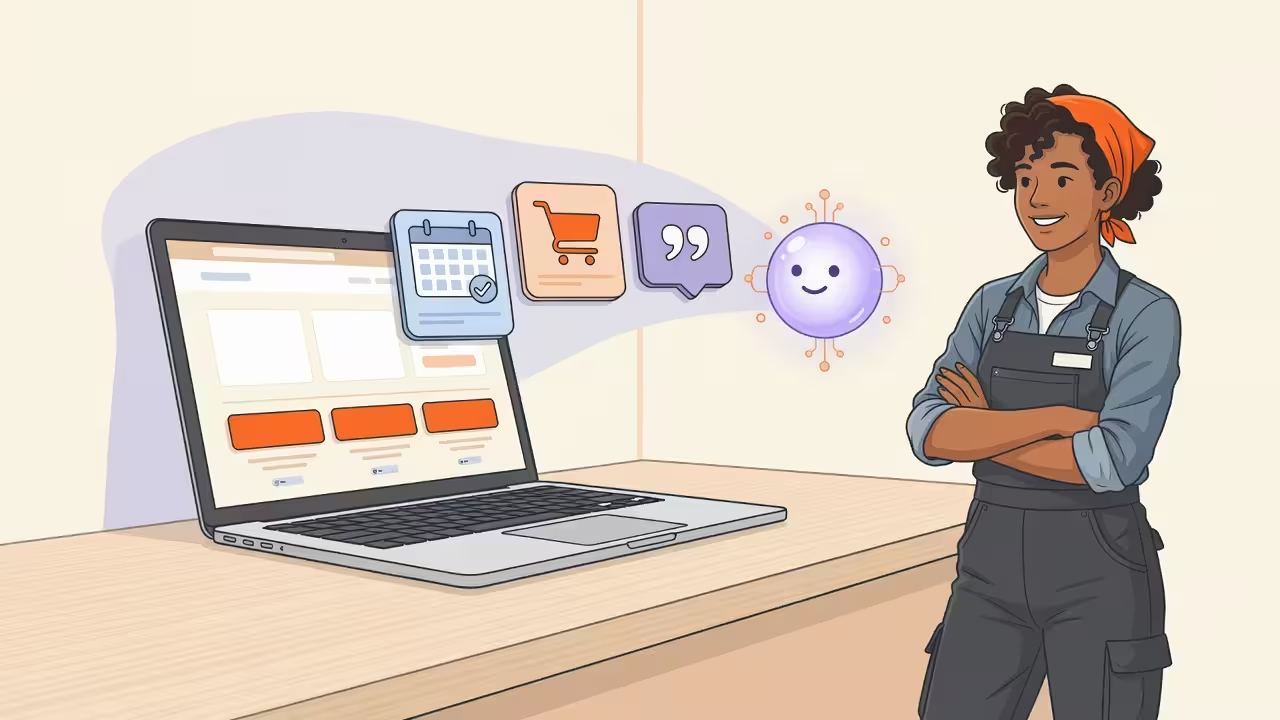
WebMCP, short for Web Model Context Protocol, is a proposed web standard that lets your page publish a named list of actions an AI agent can run while the customer is looking at you. Book a consult. Request a quote. Check a date. Add an item to the cart. The agent calls those names instead of guessing which button does what. Visitors who never use an agent still see the same site.
Plain MCP (Model Context Protocol) works off your server. The agent talks to an API, gets a result, and never has to open the site. Fine for plumbing. Terrible if you wanted anyone to see the brand, the price, or the thing sitting next to what they asked for.
WebMCP keeps the tools in the tab they already have open, usually while they are already signed in. You keep the traffic. You keep the screen. You keep a shot at the extra item.
| Layer | Where the tools live | What the customer sees |
|---|---|---|
| LayerMCP (server) | Where the tools liveYour API, off the page | What the customer seesOften nothing. The work finishes in the dark. |
| LayerWebMCP (page) | Where the tools liveJavaScript on the page they already opened | What the customer seesCart, price, extra offer, your name on the screen. |
MCP Apps put the interface inside a chat host. WebMCP keeps auth, cookies, and the brand on the site the customer already opened, and any agent can call those tools.
Chrome's developers put the split this way: MCP is the call center, available any time, on any platform. WebMCP is the person on the floor, only while the customer is in the store. Their compare page treats the two as partners.
MCP keeps the always-on backend: inventory, CRM, overnight jobs. WebMCP is the live tab, the cookies, the page they can still see. You can run both, and version one is still two money tools on the site you already have.
Current state, without the brochure language:
- Chrome has it behind a flag at
chrome://flags/#enable-webmcp-testing. The first public preview was Chrome 146. Trials have kept going after that. - ChatGPT's desktop browser can use it now, and it asks before sensitive moves.
- Firefox and Safari are in the group. They have not shipped a full public version.
- OpenAI is running a 10-day hackathon with Chrome, Cloudflare, Shopify, Vercel, Render, and Netlify. Submissions close September 3, 2026.
WebMCP started as a joint Microsoft Edge and Google proposal. Patrick Brosset on the Edge team published it on August 28, 2025 so page authors choose the named actions an agent can run, instead of the agent guessing from the DOM or a screenshot.
Microsoft and Google keep writing it together in the W3C Web Machine Learning Community Group. The living draft is dated August 26, 2026. It is a Community Group report, not a finished W3C standard.
Chrome is the public preview. Edge is in the group. Brosset said stay tuned for Edge news.
Two real ships already exist. Neither is a dentist or a roofer.
Shopify turned WebMCP on for every Liquid storefront on August 5, 2026. Agents can search the catalog, manage the cart, and call proceed_to_checkout in the same tab the shopper is looking at. The shopper still pays. There is nothing for the merchant to install. That is Shopify's changelog, not a demo app.
Turkish Airlines published the named production write-up on the other layer: a live MCP server for flight status, bookings, and Miles&Smiles. That is the call center. Shopify is the floor. A plumber still has an empty slot in both lists.
If the agent never opens your page, you lose the visit you paid for.
PRO TIP Do not add this because you think ChatGPT will rank you for it. OpenAI has not said site tools change citations. Add it so an agent can finish a quote or a booking on your domain while the customer is still looking at you.
The gap that pays
OpenAI posted a showcase. Ten demo apps. Eight of them are creative or group-work toys: 3D modeling, photo editing, greeting cards, a beat machine, crosswords, shared documents, meal plans, travel notes. One is a grocery cart.
I looked for a dentist in that list. Then an HVAC company, a law firm, a med spa, a wedding venue, an accountant. None of them are there.
A plumber, a clinic, or a venue that ships this first does not have a crowd to beat.
Spec writers build the demos they already live in. That empty slot is where the money is. There is one listing, and it can be yours.
Getting named in ChatGPT, Gemini, Perplexity, and Copilot is a different job. That work puts you on the shortlist. WebMCP is what happens when someone is already on your page, or when their agent brings them there and they still have to watch and approve. When you need the recommendation side, open the 40-point visibility checklist.
Why customers watch the agent
A lot of the commentary assumes agents should vanish into the background. Server MCP is the right tool when the work is plumbing and nobody needs to look. WebMCP is the right tool when the customer still has to see, choose, sign, or keep a copy.
1. Hands busy, eyes free
Not everyone is comfortable, capable, or free to use their hands. Work gloves. A disability. Hands required for another task. A child on one hip. They would rather speak to their agent and watch it work on a TV, a tablet, a PC, or a phone.
You still want their appointment, their reservation, their sale. They can talk while a screen across the room updates the page. Trades, kitchens, and clinics already run on that pattern.
Limited hand and finger control, tremor, post-surgery, arthritis: those buyers can speak the request and still watch, judge, and approve. Named tools also give screen readers a cleaner path than an agent guessing at unlabeled buttons. It is the right thing for people, and it is the kind of story reporters actually print.

2. Legal requirements
Sometimes the agent cannot sign on their behalf. Legal documents, agreements, and regulated actions still need a human in the loop. Think medical, real estate, finance, and other legally binding work.
Lending, insurance, healthcare, and a lot of contracts also require a person to actually look at a disclosure. An agent cannot take that look for them. If your flow has a required screen, the flow still needs a screen.
Compliance people in those industries are already asking what happens when agents start filling forms. Almost nobody has a public answer. Publish yours and the phone gets interesting.
3. Options, upsells, and impulse buys
If the agent is working completely behind the scenes with an API or MCP, the customer never sees Thursday afternoon sitting next to Friday morning. That choice turns into a long back-and-forth in chat. You have to watch the bottom line.
If buyers never see your related products, they never see the thing that is selling itself this week. They never see the pro version. They never see the monthly auto-delivery subscription. You probably want them to.
The agent asks for the item they named. Your page still shows that item sitting next to the bundle, the upgrade, and the sale you spent money photographing. An API call with no page is a checkout with the lights off.
4. The last button
They still want their finger on the last button. Money leaving the account. A message going out under their name. A fare locking in. Let the agent do the long middle.
They want to tap yes on your page, and be the point of truth in the agreement. Chrome already asks before sensitive moves. Moz says leave that human check on for bookings and purchases. They adopt it faster because they still feel in charge.
5. Two people, one screen
A couple booking an anniversary trip. A homeowner and a contractor picking finishes. A consultant sharing a screen with a client. A family building a grocery order. One person talks to the agent. Both of them watch the page change. Voice-only cuts the second person out, and that second person is often the one who has to say yes.
6. They watch on purpose
They watch the first few times on purpose, because they do not fully trust the AI. They catch a wrong step at two instead of nine. They learn what the tool can and cannot do, then they stop hovering.
The page has to update before the tool returns, so the cart, the calendar, or the quote on screen matches what the agent just did. Hide the work and they never trust it, so the agent stays stuck on tiny chores and your shop stays out of the useful jobs. That stretch is how autonomy actually starts.
7. A copy they can keep
They have to keep a copy that lives outside a chat history. The estimate they send the insurance company. The reservation they forward to the rest of the group. The quote the bookkeeper files.
Your page is what they screenshot, print, and send. That is their record.
PRO TIP Do not hang payment capture or medical records on version one. Quotes, bookings, availability, comparisons. Money and records stay behind the same confirmation step you already use for a new channel.
Futureproof for other devices
Hands-free is one current pattern. The next few years add screens with no keyboard at all. A Smart TV. A touchscreen face robot. A countertop box that only wants voice and a yes.
Think about how commerce changed in the last ten years. Phones replaced desktops for a lot of buying. Tap-to-pay replaced the wallet. A missed mobile site became a missed sale.
The next shift is people scheduling vacations, booking appointments, starting a coffee subscription, or signing in to talk to a doctor or an attorney on devices that never had a keyboard. The question is whether you will be ahead or behind, and where your competitors will be.
The same named actions that help a tech on a job site help a person on a living-room TV. In the near future your telehealth doctor may be holding a screen, then pass it to you over video. You speak your way through the form, then sign by hand, the same way you would in their office. The page still has to be the room you are both looking at.
The assistant moves into the device
Pay attention to Apple here. Apple is still the company that decides what "normal" looks like for most households.
The model on the phone
On June 8, 2026, Apple shipped its third generation of foundation models. Five models in the family. The one I care about is AFM 3 Core Advanced: 20 billion parameters on the phone, natively multimodal, speech generated on the device with no round trip to a cloud box.
They also opened the Foundation Models framework. Any app can reach that on-device model, plus cloud models including Claude and Gemini, through one Swift interface. No API key. No per-token invoice. No server bill for the on-device path.
I have been repeating that to owners because it changes the cost math. The smarts sit on the hardware they already bought. Questions stop looking like a usage fee.
The $899 always-on box
The hardware refresh is the part that still is not getting enough airtime.
On August 25, Apple updated the Mac mini and the Mac Studio and sold both as local AI machines. The Mac Pro left in March. The Studio is now the serious desk box at $5,499 for the M5 Ultra, with up to 512GB of unified memory, 1.2TB per second of bandwidth, and clustering for big open-weight models. The mini is the everyday box: $899 for the M6, $1,699 for the M5 Pro, shipping September 22.

$899 for a machine that can sit on and keep working is less than a Pro iPhone.
Demand showed up before the SKU. Tim Cook said customers are "snapping up Mac minis and Mac Studios to run artificial intelligence." Both lines spent months in shortage. Apple's answer was to sell the mini as a daily AI appliance, not a starter desktop. Desktops are drifting back toward "leave it on in the corner."
A seven-inch always-on home hub is due this fall around $350, voice-first, with sensors that can tell who walked up. A tabletop robot is on the 2027 calendar.
PRO TIP If you buy the mini, leave it on. The point is not a new toy on the desk. The point is a box that can still read your business at 3am. That only works if the site is fast, crawlable, and honest about what you sell.
No search box, no ad slot
Put those pieces in one picture. The assistant stops being an app somebody remembers to open. It is a box in the office that stays powered, stays private, does not meter each question, and is still awake at 3am.
For your customer, that means they quit picking a chatbot logo. They quit typing. They ask the phone in their hand or the screen on the counter, and they watch the result.
For your next job, it means a machine in a closet can line you up against three competitors while you are asleep. The site is what it has to read.
Once the search box goes away, you also lose the ad slot you used to buy your way back in.
What is left is whether an assistant can understand the business, decide you fit, and complete the work. Discovery gets you on the list. The named actions finish the job while they watch.
Apple is pointed that direction. WebKit shipped a Safari MCP server this summer so agents can work a live browser session in a structured way, and Apple has people in the WebMCP group. Safari has not posted a WebMCP ship date. Call that a heading, not a promise.
Waiting on mobile cost people in public because the page failed on the device people actually used. This is that kind of moment again, except the new devices include TVs, home robots, and a doctor handing you a form over video.
Dan Petrovic and other analysts will keep talking about "agent-ready" labels. The operator job is simpler: named actions on the page you already have, so whoever is watching can finish.
Phone assistants are already sliding this way. The work that helps Maps, chat engines, and spoken answers at once is in phone assistant recommending businesses.
The minimum viable disturbance
People overbuild this in their heads. The first version is small.
WebMCP is JavaScript on pages you already have. You do not stand up a new server. You do not start an API project. It sits on top of the current site. Anyone who never uses an agent sees the same pages they see today.
Version one can be two HTML attributes on the quote or booking form already on the site: toolname and tooldescription. Leave toolautosubmit off for money, send-as-them, and anything legal.
Version one is two tools. Pick the pair that actually makes you money:
| Business type | Tool 1 | Tool 2 |
|---|---|---|
| Business typeServices | Tool 1request_quote | Tool 2book_consult |
| Business typeRetail | Tool 1search_inventory | Tool 2add_to_cart |
| Business typeHospitality | Tool 1check_availability | Tool 2hold_reservation |
| Business typeClinics | Tool 1find_appointment | Tool 2confirm_visit |
Chrome's use-cases page groups the rest of the work into three journeys: buy something, fill a long form, and filter a big catalog. Reorder last month's order. File a warranty claim without hunting for the support page. Find the apartment that actually has three bedrooms and a dishwasher.
The tool names look like search_products, get_order_history, start_claim_process, and apply_filters. Same job as the pairs above. Start with the two that make you money. Grow into the rest once the first pair is on camera.
A week of developer time is a fair target for that pair. If the marketing site is already flat, fast HTML, you are closer than a plugin pile. That is one reason flat-file sites keep winning: agents can read them, and you can add a tool layer without a CMS committee meeting.
Turn a week into publicity
Writing the tools is the cheap half. The noise comes from what you do after they work.
- Record a sixty second video. Your voice on the left, the live page moving on the right. Use a real booking. That clip beats a slide deck.
- Publish a public tools page. List every action an agent can take, in English a buyer understands. The demos that travel already do this. It proves the claim, it screenshots clean, and a reporter has something to link.
- Claim the first. "The first roofing company in Dallas an AI agent can book" is the kind of line local desks and trade books still print, because a real operator is attached instead of another forecast.
- Pitch trade press before the local paper. Trade editors move faster. Their readers already buy what you sell.
- Take the video to podcasts. Hosts want the person who shipped it. Right now that guest list is short.
- Drop it in the sales deck. Open the next prospect meeting with proof you are a year ahead of whoever they use today.
PRO TIP Film the booking before you pitch anyone. A reporter, a podcast host, and a prospect all want the same proof: the page actually moved. Do not lead with the protocol name. Lead with the clip.
None of that needs a product launch. It needs a week of build time and a phone. If you already use earned media to get cited, pair this with get quoted, get cited.
Where I would be careful
I would rather be early and accurate than loud.
Chrome still hides this behind a flag for local testing. Most of the real use right now is the ChatGPT browser and people who like living on the edge. The spec is a draft. Method names will change. Prompt injection and tool chaining still have open security questions.
Start with work that is easy to see and hard to wreck: quotes, bookings, availability, comparisons. Payments and records stay behind the confirmation step you already trust, same as any new channel.
Some products already drive a live tab without the owner shipping tools. Named tools are how the shop stays the point of truth in that session.
This year the edge is showing up first. Volume shows up when the browsers catch up.
What to measure
- Can an agent finish a quote or a booking on a logged-in session while a human still approves the last step?
- Does the public tools page list every action in plain English?
- Did you film a real sixty-second demo, not a slide?
- Do money pages still load fast on a phone after you add the JavaScript?
- Are you first in your category and city to claim it, with a clip a trade editor can run?
Putting it together
Ask it this way: can an AI agent finish the job on your site while the customer watches and still has to approve?
If yes, you are already on the next version of the web. If no, you are about a week of work away from a different answer.
At Xeal we treat this as agent conversion. Two tools. A clip you can show. A claim you can defend. Then we keep the site readable so the machine that shortlists you at 3am can also close.
Talk with Xeal about agent-ready conversion
If you already have a quote form or a booking flow, tell me what it does today. Xeal will tell you whether two tools and a demo video are an honest first week, or whether the site needs a cleaner foundation first.
FAQ
Who actually needs WebMCP?
If the work can finish as plumbing, and nobody needs to watch, server MCP is enough. If the customer has busy hands, a legal yes, a choice between options, a last button they want to press, a second person in the room, trust to build, or a copy they have to keep, the page still has to move. Getting named in ChatGPT, Gemini, or Copilot is a separate job.
What is WebMCP in one sentence?
WebMCP, short for Web Model Context Protocol, is a way for your web page to publish a named list of actions an AI agent can run while the customer is still looking at your site. Book a consult, request a quote, check a date, or add an item to the cart by name, instead of hoping the agent can guess which button does what. Visitors who never use an agent still get the same pages they see today. The value is finishing the job on your domain while they watch.
Do I need a new server or API project?
No. WebMCP is JavaScript on pages you already run. You do not stand up a new server, and you do not start a separate API project for version one. It sits on top of the quote form or booking flow you already have. People who never use an agent still get the same site, so you are not splitting your audience. If the marketing site is already flat, fast HTML, you are closer than a plugin-heavy stack.
Is this the same as MCP?
MCP, the Model Context Protocol, hangs tools on a server. The agent can finish the work without opening your site, which is fine for plumbing and terrible for merchandising. WebMCP keeps the tools in the tab the customer already signed into, so they still see your brand, your price, and the extra offer sitting next to what they asked for. Chrome's compare page treats them as partners: MCP for the always-on backend, WebMCP for the live page. Use MCP when nobody needs to watch. Use WebMCP when the page is the storefront. A lot of shops will end up with both.
Which browsers support it today?
Chrome has a testing flag and origin trials. People already see an agent in a live tab in ChatGPT Atlas, Perplexity Comet, Chrome Auto Browse, and ChatGPT desktop. Those surfaces can use site tools on pages that expose them, with a confirmation step on sensitive actions. Firefox, Safari, and Edge sit in the W3C Web Machine Learning Community Group. Edge has not posted a public ship date. Treat this as early distribution, not as a promise that every visitor's browser will run it this quarter.
What two tools should a service business start with?
Most shops start with request_quote and book_consult, because those two actions make money. Retail starts with search and add to cart. Hospitality starts with availability and hold. Clinics start with find appointment and confirm visit. One pair is enough for version one. Chrome's use-cases page also maps shopping, long forms, and catalog filters when you are ready for a third tool. A week of developer time is a fair target if the underlying form already works.
Will this make ChatGPT recommend my business?
Getting named in ChatGPT, Gemini, Perplexity, Copilot, and phone assistants still depends on clear pages, proof, citations, and a consistent identity. That is shortlist work. Tools are only visible after someone or their agent is already on the page. There is no public directory. That is why this is conversion on the domain. Do both jobs. One without the other still leaks money.
Does this only matter for ChatGPT?
ChatGPT's desktop browser is the first easy place to see it, which is why it shows up in the demos. The bigger shift is any assistant that can act on a live page: Gemini in Chrome, Copilot, Perplexity, and later Safari if Apple ships WebMCP. Phone assistants, Smart TVs, home robots, and on-device models make the same demand in a different wrapper. Build named actions once. Do not buy a separate package for each logo.
Why does a Smart TV or a telehealth visit need this?
A lot of the next buying will happen on screens with no keyboard. A Smart TV, a touchscreen robot, a countertop box, or a doctor passing you a form over video. The customer speaks, watches the page change, then signs or taps yes the same way they would in person. Named actions on your current site are how that flow works without a new app for every device.
Should I expose payments as a tool?
Not in version one. Keep payments and records behind the human confirmation you already use. Quotes, bookings, and availability are the visible, lower-risk start, and they still give you a demo you can film. The spec is a draft, method names will change, and prompt injection is an open question. You do not want the first public example of your shop to be an agent that moved money without a person tapping yes.
Sources
- Chrome for Developers: WebMCP
- Patrick Brosset: AI agents and the web, August 28, 2025
- Patrick Brosset: WebMCP updates and clarifications, February 23, 2026
- W3C Web Machine Learning Community Group: WebMCP draft, August 26, 2026
- W3C Web Machine Learning Community Group
- Chrome for Developers: When to use WebMCP and MCP
- Chrome for Developers: How WebMCP fits in user journeys
- Shopify: WebMCP support for Liquid and Hydrogen storefronts
- Turkish Technology: How we built the Turkish Airlines MCP Server
- Moz: What Is WebMCP?
- OpenAI Developer Community: The WebMCP Challenge
- OpenAI Developers: WebMCP app showcase
- Search Engine Journal: ChatGPT adds WebMCP site tools
- Dan Petrovic / DEJAN: WebMCP as a technical SEO shift
- Apple Newsroom: Mac mini with M6 and M5 Pro
- Ars Technica: Apple desktops designed for local AI
- Xeal: How to get AI search engines to recommend your business
- Xeal: Phone assistants will recommend you
- Xeal: SEO, AEO, and GEO
What operators say after working with Xeal
Quotes from people who hired Tony and Xeal for websites, SEO, publicity, and strategy.
I highly recommend Tony Baker as a mentor, coach, and role model to anyone seeking to better themselves in business, career, and in life in general. I've known Tony over the years and watched him improve the life of everyone he associates with as a major influence in very positive ways.
Tony's company, Xeal, delivered the best results ever from a marketing/PR campaign. Within weeks I was interviewed by the Wall Street Journal. The publicity and endorsement continues to this day and helps us close more business.
Want help putting this into production?
If this article named a problem you already feel, tell me what is stuck. We will turn the playbook into systems your team can run.